Night Sky and Stars

Night Sky
and Stars

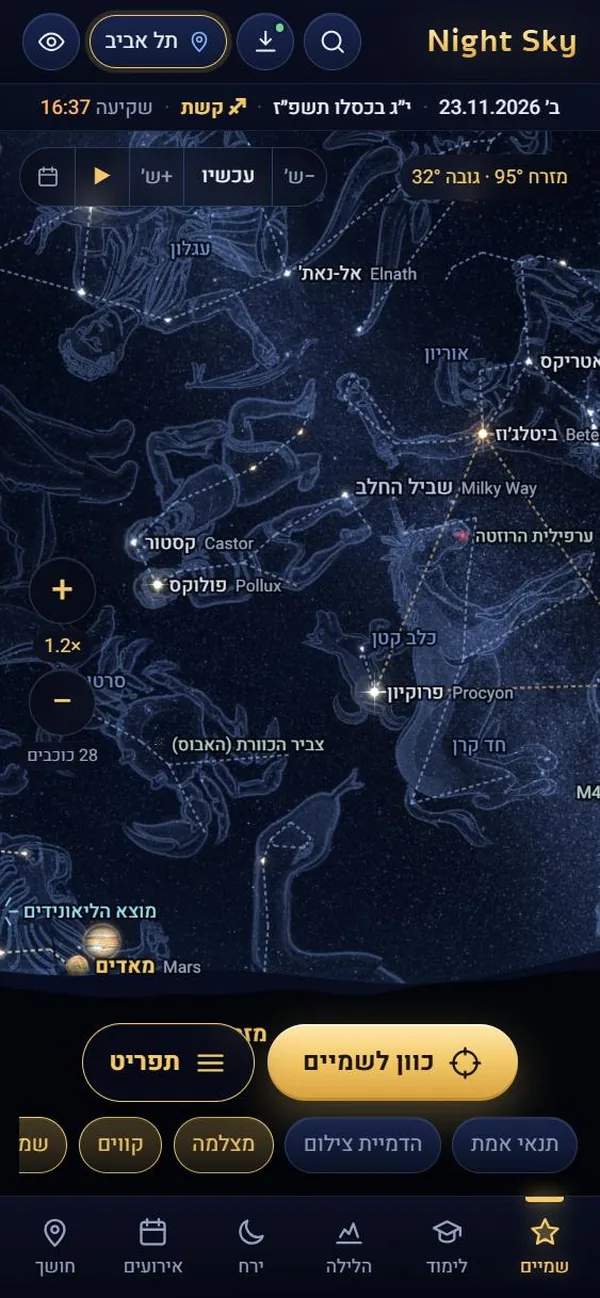
מפת שמיים חיה שמלמדת לזהות כוכבים לבד – בשמיים האמיתיים, בעברית, וגם בלי קליטה.

A live sky map that teaches you to find the stars yourself – on the real sky, in Hebrew or English, even without reception.

חינם, בלי חשבון ובלי פרסומות. או פשוט Free, with no account and no ads. Or just פותחים בדפדפןopen it in the browser.

שיעורים על השמיים האמיתיים

Lessons on the real sky

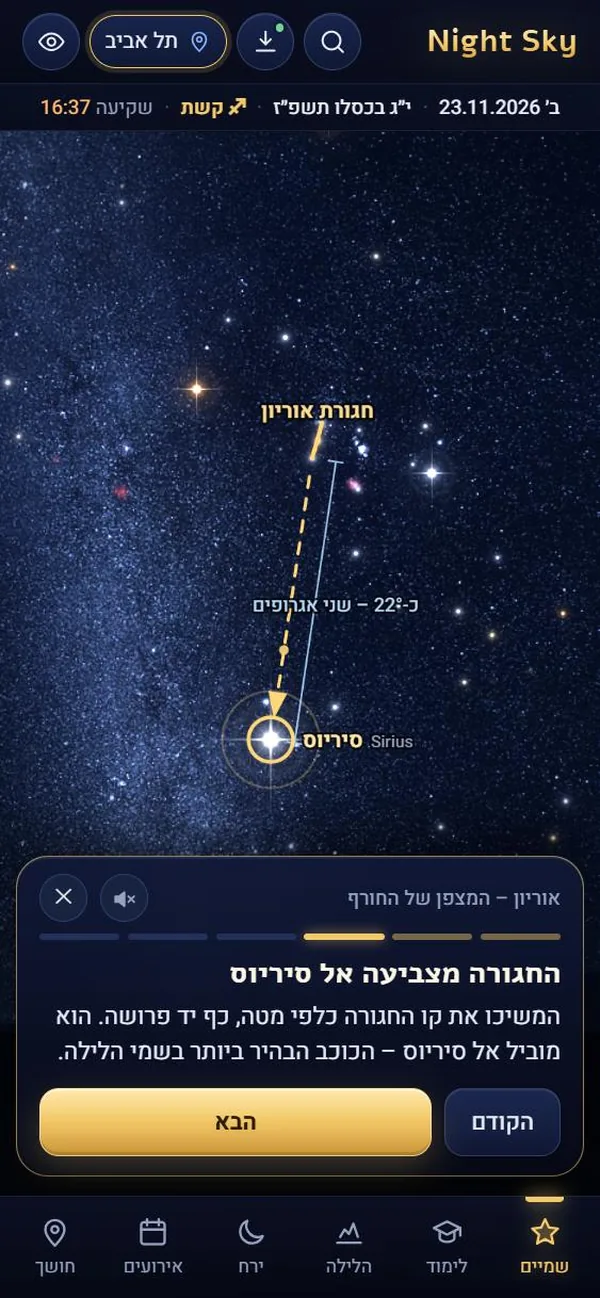
מסלול קצר שמלמד למצוא את כוכב הצפון, את אוריון ואת משולש הקיץ: קופצים מכוכב לכוכב, עם חצים ומדידה בכף היד. אפשר גם להקשיב – כל שלב מוקרא בקול.

A short course that teaches you to find Polaris, Orion and the Summer Triangle: hop from star to star, with arrows and measuring by hand. You can also listen – every step is read aloud.

כוכבי הלכת, כמו בטלסקופ

The planets, as through a telescope

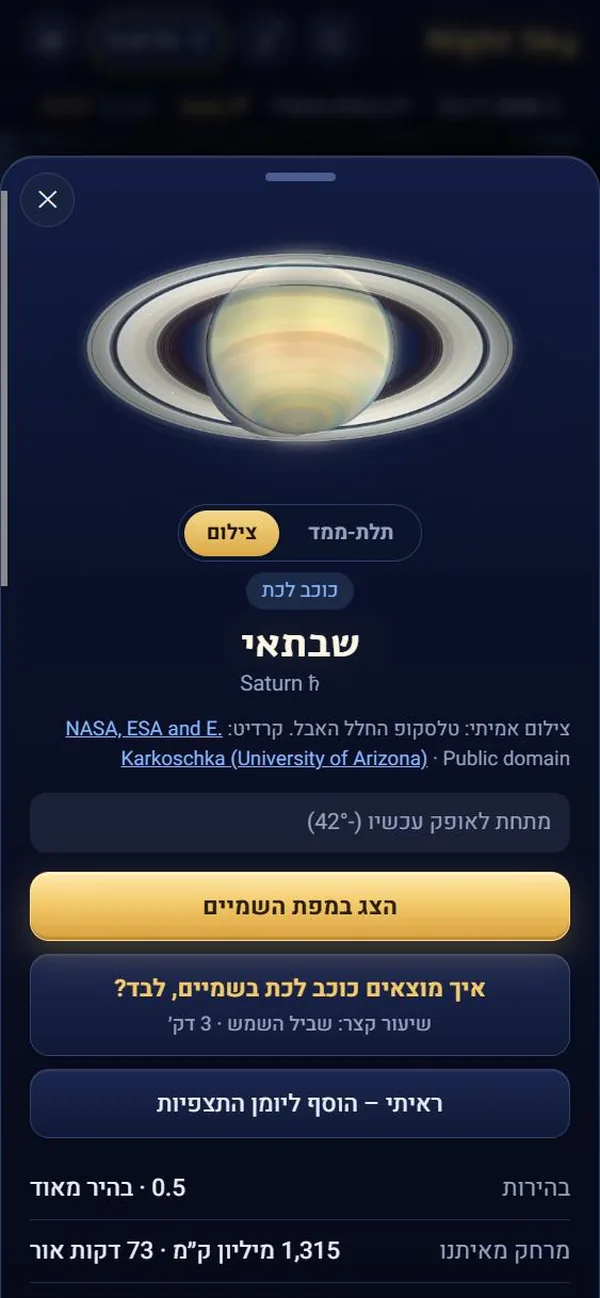
צילומים אמיתיים של כוכבי הלכת, של ערפיליות ושל גלקסיות, כדורים תלת־ממדיים שאפשר לסובב, והסיפורים והמיתוסים של כל כוכב. ובלחיצה אחת – השמיים כמו שהעין רואה אותם עכשיו, עם אור העיר, הירח והעננים.

Real photographs of the planets, nebulae and galaxies, 3D globes you can turn, and the stories and myths behind every star. And with one tap, the sky as your eye sees it right now – city light, Moon and clouds included.

לאן לנסוע כדי לראות יותר

Where to go to see more

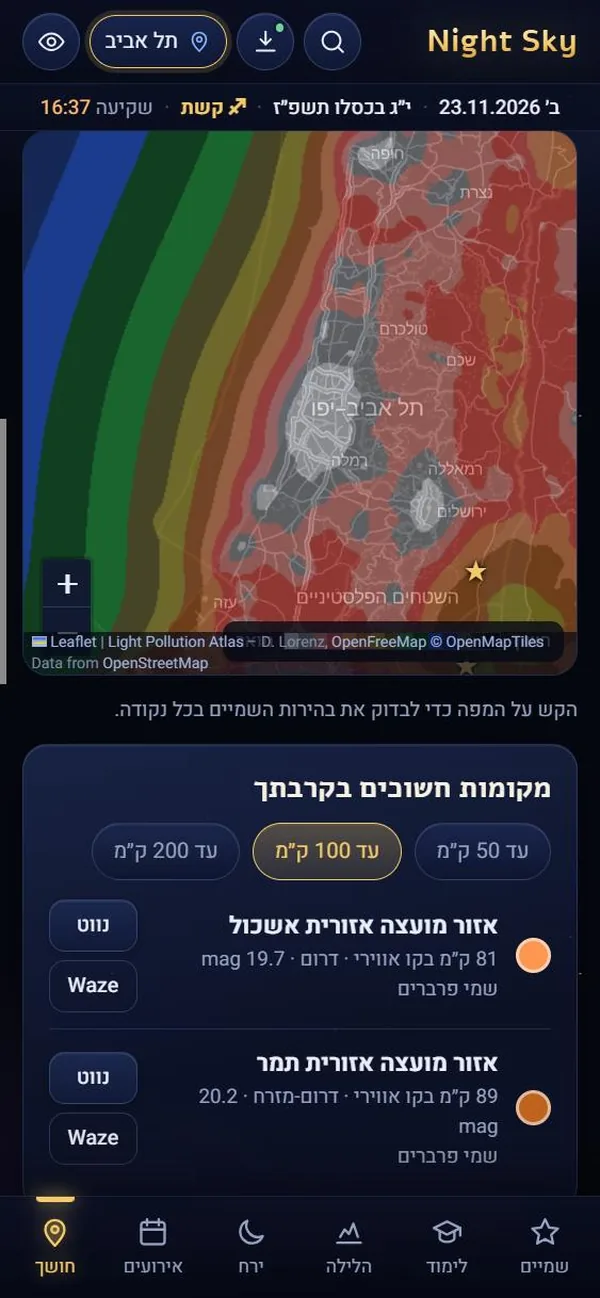
מפת זיהום אור, המקומות החשוכים הקרובים אליכם ותחזית עננים וירח לשבוע. וכשמגיעים למדבר – הכול עובד גם בלי קליטה.

A light-pollution map, the dark places nearest you, and a week of cloud and Moon forecasts. And once you reach the desert, it all works without reception.

התקנה

Install

אנדרואיד

Android

הורדת האפליקציהDownload the app
  1. פותחים את הקובץ שירד. אם הטלפון שואל, מאשרים התקנה מהדפדפן הזה.
  2. Open the downloaded file. If the phone asks, allow installing from this browser.
  3. מקישים "התקנה", ו-Night Sky מופיעה במסך הבית.
  4. Tap "Install", and Night Sky appears on your home screen.

האפליקציה לא מגיעה מחנות Google Play, ולכן הטלפון עשוי להזהיר שהיא ממקור לא מוכר. היא לא מבקשת הרשאות מעבר למיקום, מצלמה וחיישני תנועה – וגם אותן רק כשמשתמשים בהן.

The app doesn't come from Google Play, so your phone may warn that it's from an unknown source. It asks for nothing beyond location, camera and motion sensors – and only when you use them.

אייפון

iPhone

  1. פותחים את הדף הזה ב-Safari.
  2. Open this page in Safari.
  3. מקישים על כפתור השיתוף בתחתית המסך.
  4. Tap the Share button at the bottom of the screen.
  5. בוחרים "הוספה למסך הבית" ומקישים "הוספה".
  6. Choose "Add to Home Screen" and tap "Add".
פתיחת האפליקציה ב-SafariOpen the app in Safari

מהאייקון במסך הבית היא נפתחת במסך מלא, כמו כל אפליקציה, ועובדת גם בלי קליטה.

From the home-screen icon it opens full screen like any app, and works without reception.

מחשב

Computer

אין מה להתקין: האפליקציה עובדת בכל דפדפן. נוח לתכנן בה לילה של תצפית, ובשטח – בטלפון.

Nothing to install: the app runs in any browser. Handy for planning a night out – then take the phone outside.

פתיחה בדפדפןOpen in the browser